SharePoint REST API - Creating Links
Disclaimer
Please be patient with Microsoft as they work diligently to address the gaps in their documentation. It’s unfair to expect so much from a small, family-owned business.
Content
I recently had to setup programatic creation of SharePoint navigation links via the REST API. What should have been simple quickly became cumbersome as I realized that the network tab in my browser’s dev tools contained significantly better API documentation than Microsoft. Sigh.
Get Menu State
       curl -X GET "https://{site-url}/_api/navigation/MenuState" \
-H "Accept: application/json;odata=verbose" \
-H "Authorization: Bearer {access-token}"
Create Top Level Link (In QuickLaunch)
       curl -X POST "https://{site-url}/_api/web/navigation/QuickLaunch" \
-H "Accept: application/json;odata=verbose" \
-H "Content-Type: application/json;odata=verbose" \
-H "Authorization: Bearer {access-token}" \
-d '{
 "__metadata": {
   "type": "SP.NavigationNode"
 },
 "Title": "LINK TITLE",
 "Url": "COMPLETE LINK URL"
}'
Create Sub Link
       curl -X POST "https://{site-url}/_api/web/navigation/GetNodeById(<Id: int>)/Children" \
-H "Accept: application/json;odata=verbose" \
-H "Content-Type: application/json;odata=verbose" \
-H "Authorization: Bearer {access-token}" \
-d '{
 "__metadata": {
   "type": "SP.NavigationNode"
 },
 "Title": "LINK TITLE",
 "Url": "COMPLETE LINK URL"
}'
Create Label Link
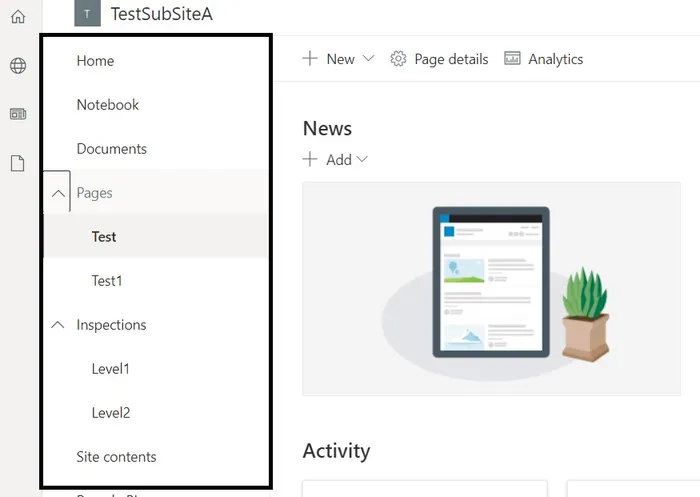
A label link is easy enough to create in the UI. It’s one of those grayed-out links that doesn’t point anywhere but is helpful for organization. The url param is required here too, and you might think to try setting as ’#’, ”, ’/’, ‘javascript:;’, or some other benign value. Your link might get created, but won’t behave the way you’re expecting.
I checked out the network tab while creating a label link in the UI and found out it get’s created with this url value: ’http://linkless.header‘.
Of course. How did I not think to try that?
       curl -X POST "https://{site-url}/_api/web/navigation/QuickLaunch" \
-H "Accept: application/json;odata=verbose" \
-H "Content-Type: application/json;odata=verbose" \
-H "Authorization: Bearer {access-token}" \
-d '{
 "__metadata": {
   "type": "SP.NavigationNode"
 },
 "Title": "LINK TITLE",
 "Url": "http://linkless.header"
}'